





Software vendor due diligence for security and ownership
A buyer checklist for security, integrations, data roles, ownership, support, and exit planning before signing a software contract.
A practical account of semantics, keyboard use, focus, contrast, forms, reflow, reduced motion, and the limits of automated accessibility testing at Rise.sk.

An accessible website needs to remain readable and operable in different conditions. At Rise.sk we check content and HTML alongside keyboard use, forms and motion. An automated score covers only part of that work.
GoodRequest's original article on accessibility for developers framed the baseline. Their newer 2025 checklist goes further into semantics, language, control names, status messages and how a keyboard gets trapped. We read all of it next to the normative WCAG 2.2 text rather than instead of it, because a checklist may leave out cases covered by the standard. WCAG-EM and the WAI-ARIA APG settled the rest.
Our wording is deliberate. The public website is designed and internally verified against WCAG 2.2 Level AA. That is not a certification. It also does not replace research with people who use assistive technologies daily, because internal verification finds what is broken in the code, not what the interface is like to operate.

The skip link is the first operable element on the page. It becomes visible on focus and moves the user directly to the main content.
WCAG groups requirements under four principles. Content must be perceivable, operable and understandable, and it must be robust. Level AA is our public target. On top of it we took two Level AAA outcomes from WCAG 2.2, both of them about focus, which is what the keyboard user stares at for every second on the page. Focus should stay completely unobscured, and its appearance should stay clearly distinguishable.
WCAG 2.2 added criteria including minimum focus visibility, an alternative to dragging, a 24 by 24 CSS pixel minimum target, consistent help, and more accessible authentication. Target size is the one that changed our components. Primary touch controls at Rise.sk normally sit at 44 to 48 pixels, comfortably above the floor. Compact actions such as share buttons may be smaller. They never drop under 24 pixels and they keep their spacing.
Our accessibility page keeps the review date, the scope, the method we used, the known limitations, and the contact address in one public place. None of it is buried in a PDF.
A button is a <button> and a link is an <a>. Form controls connect to their <label>. Headings and landmarks carry the structure. A native element already knows its role and its state, and it knows which keys have to do what. Rebuilding that on a generic <div> means writing every one of those behaviours by hand and then keeping them correct for as long as the component lives.
The WAI-ARIA APG calls a role a promise. role="button" does not add Enter or Space activation. So we reach for ARIA only where native HTML cannot carry the information by itself, which in practice means naming an icon button with no text, or tying an error message to the field it belongs to. Carousel state is the third case.
Decorative icons and ambient layers are hidden from the accessibility tree. A decorative image carries an empty alt. A meaningful image gets a short alternative written for what it does in that particular place, because the same chart can be an illustration in one article and the whole point of another, which no scanner can work out. Describing how a data graphic looks is not enough. The finding has to be available as text.
The main journey has to work without a mouse. The skip link is the first operable element on the page, invisible until the first Tab press, and from there it takes the user to the main content instead of back through the navigation.
Our focus indicator has two contrasting layers. The dark one stays visible on light and gold surfaces, the gold one on dark, so wherever focus lands there is always one layer that separates from what sits underneath it. In forced-colors we take the system colour and leave the user's palette alone.
A modal lightbox needs more than Escape. Focus moves inside on open, the rest of the page goes inert, Tab stays within the dialog, and closing returns focus to the exact thumbnail that opened it. Swipe is an extra. Previous and next are always one button away.
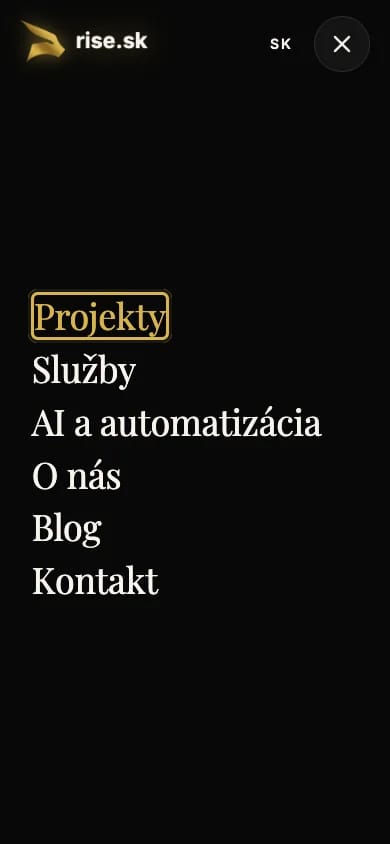
Menus, dialogs, and links work with a keyboard. Focus remains visible on dark, light, and gold surfaces.
Normal text targets at least 4.5 to 1. Large text and meaningful interface boundaries or icons target 3 to 1 against the colour next to them. We check those ratios against the real design tokens, because the name of the token tells you nothing about the background that text will finally land on.
Colour on its own is not enough. Inline article links are underlined before anyone hovers them. A form error carries text and a programmatic relationship rather than just the red border. The current carousel dot carries programmatic state as well, so screen readers can announce the slide when the shade itself is not visible.
The contact form uses visible labels and meaningful autocomplete tokens. After an invalid submission it renders a linked error summary and moves focus to the first error, while every invalid control gets aria-invalid together with aria-describedby.
Success and failure are announced in a safe live region, so feedback never depends on watching one corner of the screen. Every error is named in words rather than implied by colour.
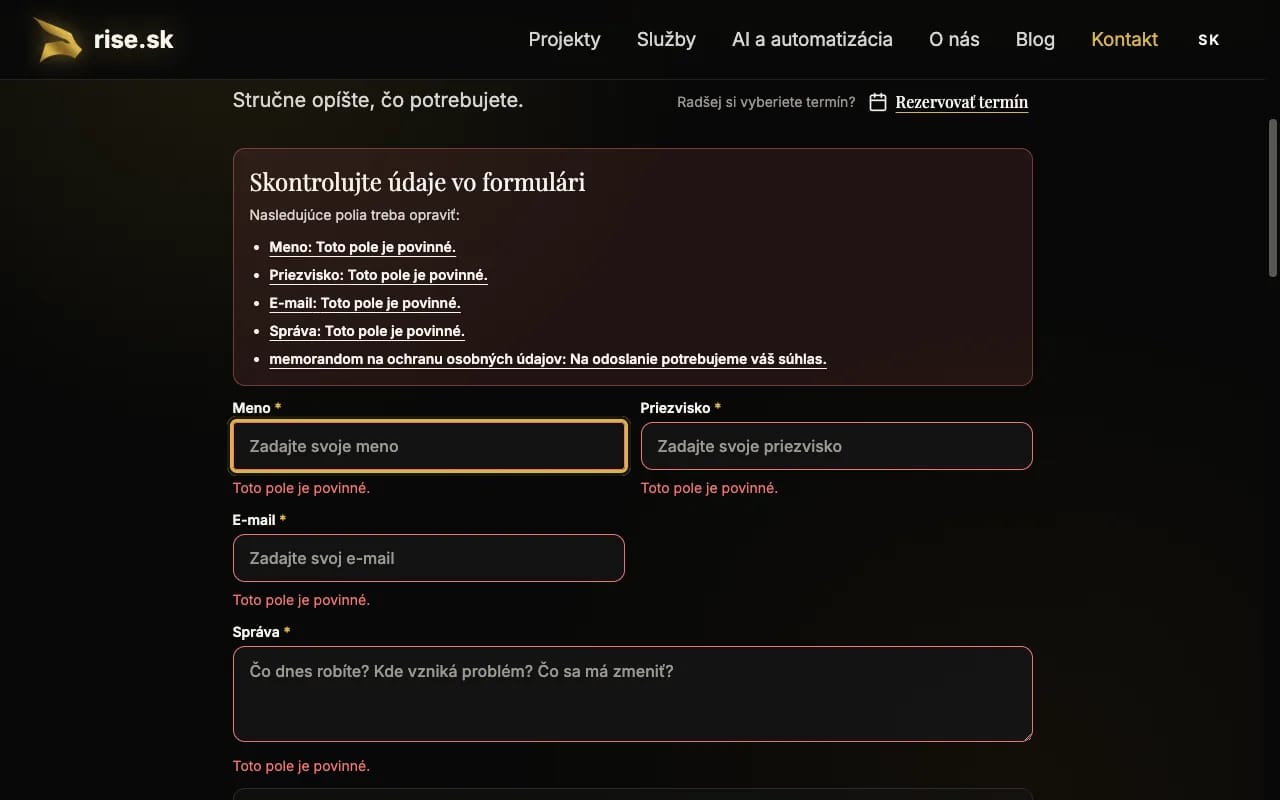
Errors are not communicated by colour alone. Focus moves to the first invalid field, the summary links to every error, and each field has a programmatically associated description.
At 200% text size, nothing may disappear. A 320 CSS pixel reflow test is the practical equivalent of 400% zoom on a 1280-pixel canvas, and it is the fastest way to find out whether the layout falls apart once it is enlarged. The page becomes one column and the document itself never scrolls sideways.
Named two-dimensional areas are the exception. A wide data table is the usual one. It gets its own keyboard-accessible scroll container and a line of text telling the reader that the content continues past the right edge of the viewport. The table scrolls. The page does not.
We apply the WCAG text-spacing override separately. It raises line height and paragraph spacing along with letter and word spacing. Any component quietly built around a fixed text height gives itself away the moment the override runs, because the text has nowhere left to go inside it. It overflows.

At 320 CSS pixels wide, content reflows into one column without losing information or controls.
With prefers-reduced-motion: reduce we drop the automatic intro, the parallax, smooth scrolling and any transition that announces nothing on its own. The state change is still legible. Movement is simply not what announces it. Anything that changes on its own for longer than five seconds has to be pausable, which is why Rise.sk runs no uncontrolled content of that kind at all.
Carousels follow the same rule. Swipe is never the only control, the change is announced without animation, and the transition is allowed to take zero time.
Automated checks are excellent at repeatable failures. They catch missing names, invalid ARIA, landmarks, target size and some of the contrast problems. What they cannot decide is whether an alt is useful, whether the focus order makes sense, or whether the person reading an error message knows what to do next. Nor can they tell you whether the journey can be finished at all.
We therefore follow a representative WCAG-EM process:
The Rise.sk matrix covers the supported homepage locales, static templates, portfolio variants, audit modules, contact and profiles, calculators, several blog types, legal pages and the 404, right down to the accessibility page itself. Axe must report zero WCAG 2/2.1/2.2 A and AA violations, with no impact filtering. Best-practice findings get their own list. Not every recommendation is a conformance failure.
Manual review covers keyboard journeys, dialogs, focus return, 200% text, 320px reflow, text spacing, orientation, reduced motion, and everything the accessibility tree reports for names, roles, order. A green scan is one piece of evidence, not the end of the audit.
Directive (EU) 2019/882 has applied since 28 June 2025 to defined products and consumer services. Slovakia transposed it through Act No. 351/2022 Coll. That act sets its own scope, its own exceptions and its own list of obligations for economic operators, which is why the duties of any particular company cannot be read off the title of the law.
So we do not turn either instrument into a blanket claim that every website carries the same legal duty, or into proof that an internal WCAG audit establishes legal compliance for one given service. It depends on the service, on the entity, on circumstances around both. A lawyer decides that, not us.
Accessibility is a voluntary quality standard for Rise.sk. It helps people and it removes blind spots from the interface. The system ends up more resilient under keyboard use, under zoom, under machine translation and on slow hardware, which is the list of situations design review tends to skip.
Internal verification is not independent certification. It does not replace third-party auditing, and it does not replace research with people who use screen readers, voice control, magnification or other assistive technology every day, rather than as an exercise. Those are the natural next steps.
Found a barrier on Rise.sk? Email rise@rise.sk or use the contact form. The report is most useful when it carries the URL, what you were trying to do on that page, and which browser or assistive technology you were using at the time, even in one line. Every concrete report gets investigated.
Maroš Bednár prepared this article with AI support for source discovery, test-matrix review, and language editing. He verified the implementation evidence, technical conclusions, sources, screenshots, and final text. Tatiana Gavulová performed the editorial review.

Founder and CEO of Rise.sk. He designs and delivers web applications, data systems, and automation, and writes about software decisions, AI, and digital services.
A buyer checklist for security, integrations, data roles, ownership, support, and exit planning before signing a software contract.

A practical guide to defining requirements, comparing suppliers, validating delivery evidence, and reaching a defensible technology-partner decision.

Review the journey from your offer to a submitted enquiry. Ten practical checks for navigation, readability and the technical operation of a business website.